WIIGUITAR LAGG
Stack: C#, .NET, Bluetooth
WIIGUITAR LAGG
Connect your Wii guitar to the PC and play Clone Hero like it's a real controller: notes, strumming, whammy and Star Power, no Bluetooth PIN to remember and no key remapping.
The guitar on screen
Every physical button on the guitar — the five colored frets, the strum bar, the whammy bar — lights up on screen the exact moment you touch it. That lets you calibrate by eye and confirm the game is reading what your hand does.

Playing live
This is what it looks like actually playing: the lights follow the song's rhythm, there's no noticeable input lag, and the whammy meter rises and falls with the bar.

Pairing the instrument
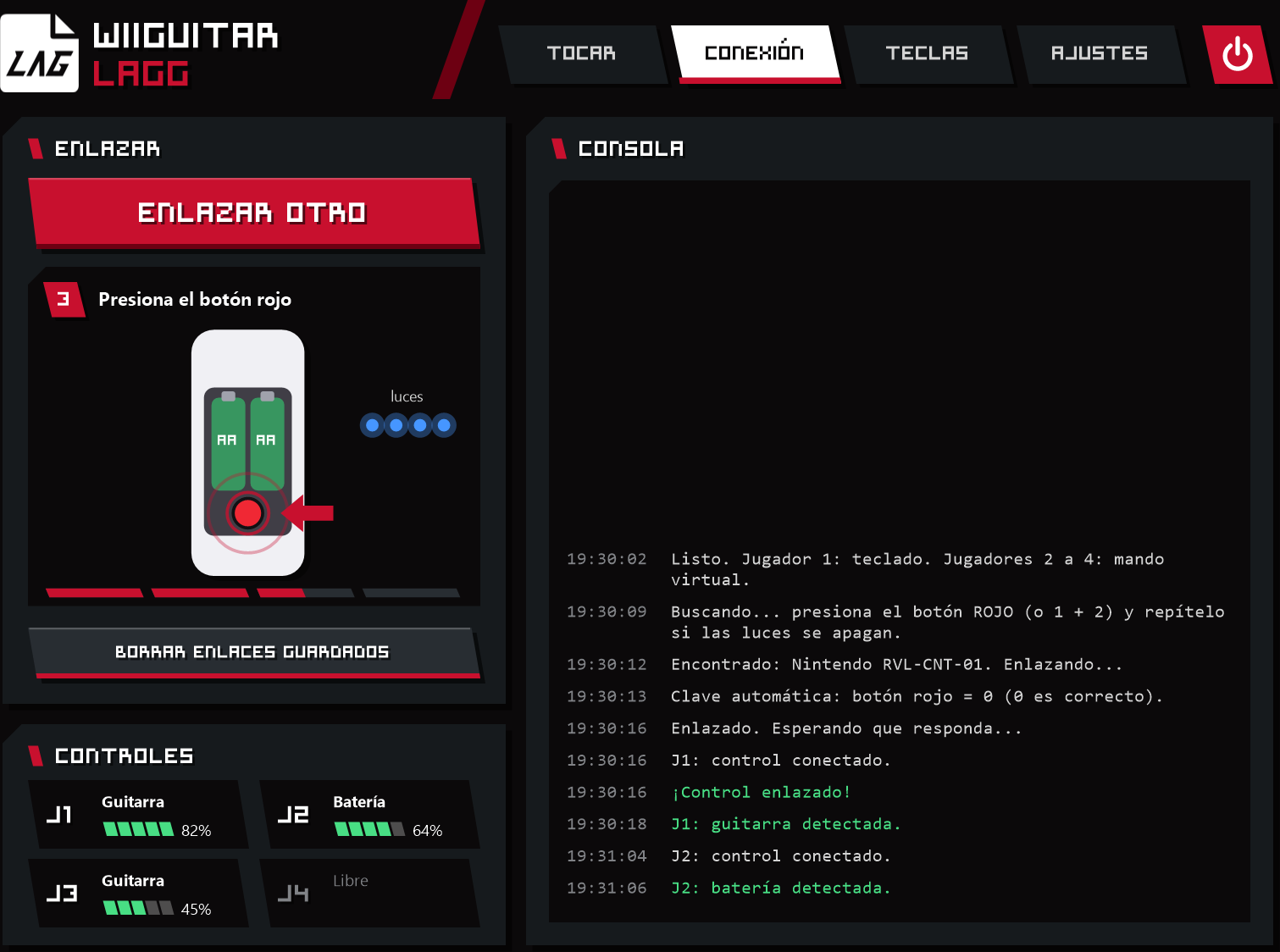
Pairing the guitar is three steps: press "Pair" in the app, hold the red sync button inside the guitar, and wait for it to turn green. No PIN to type, no pairing through Windows' Bluetooth panel.

The connection screen
Here you see how much battery each connected instrument has left and which player slot (P1 to P4) each one is assigned to, so you can fit several controllers without mixing them up.
Drums too
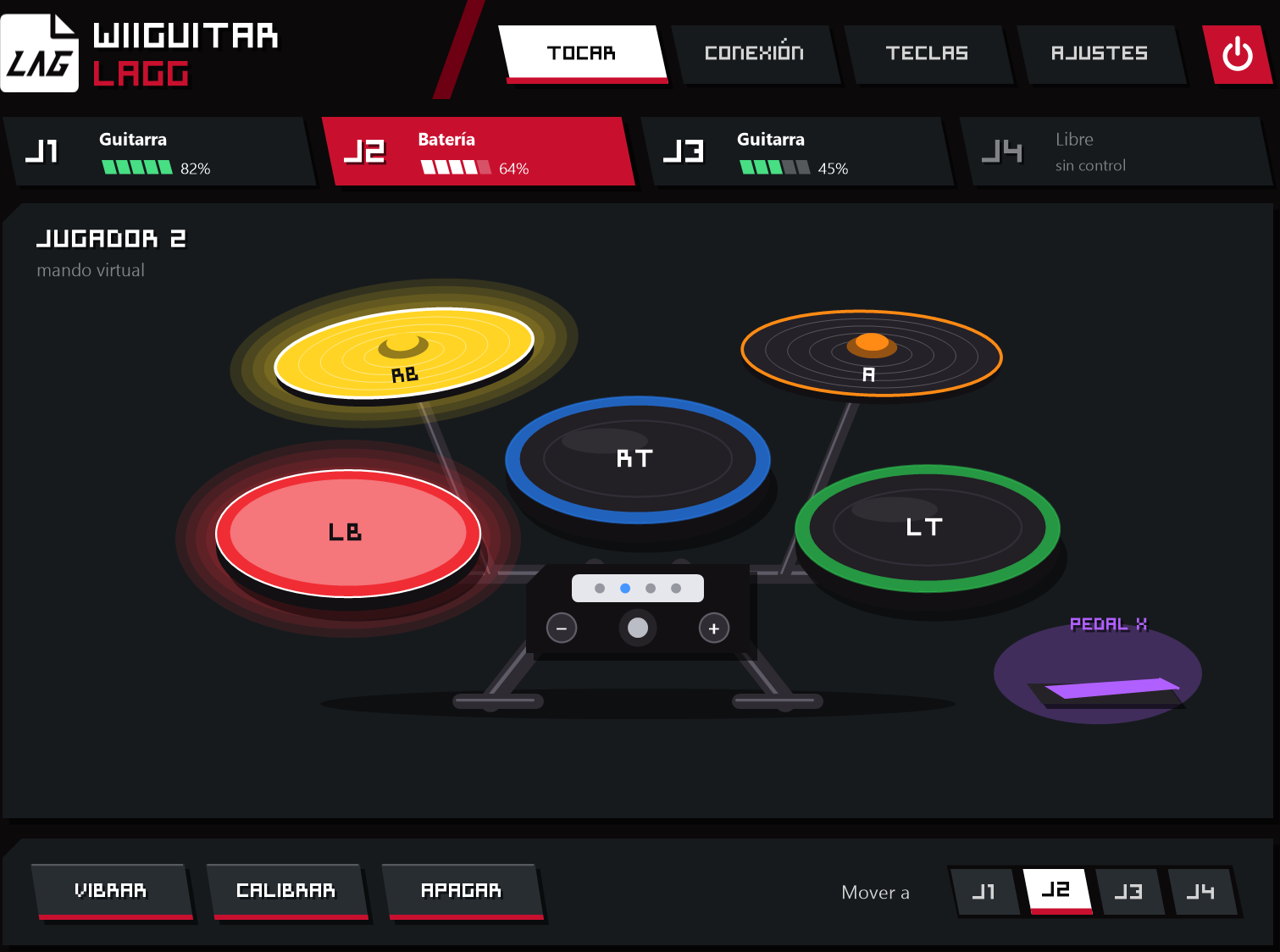
The same guitar — or a Wii drum kit, if you have one — can be set as drums instead of a guitar, with up to four players at once, each with their own instrument and color.
Settings
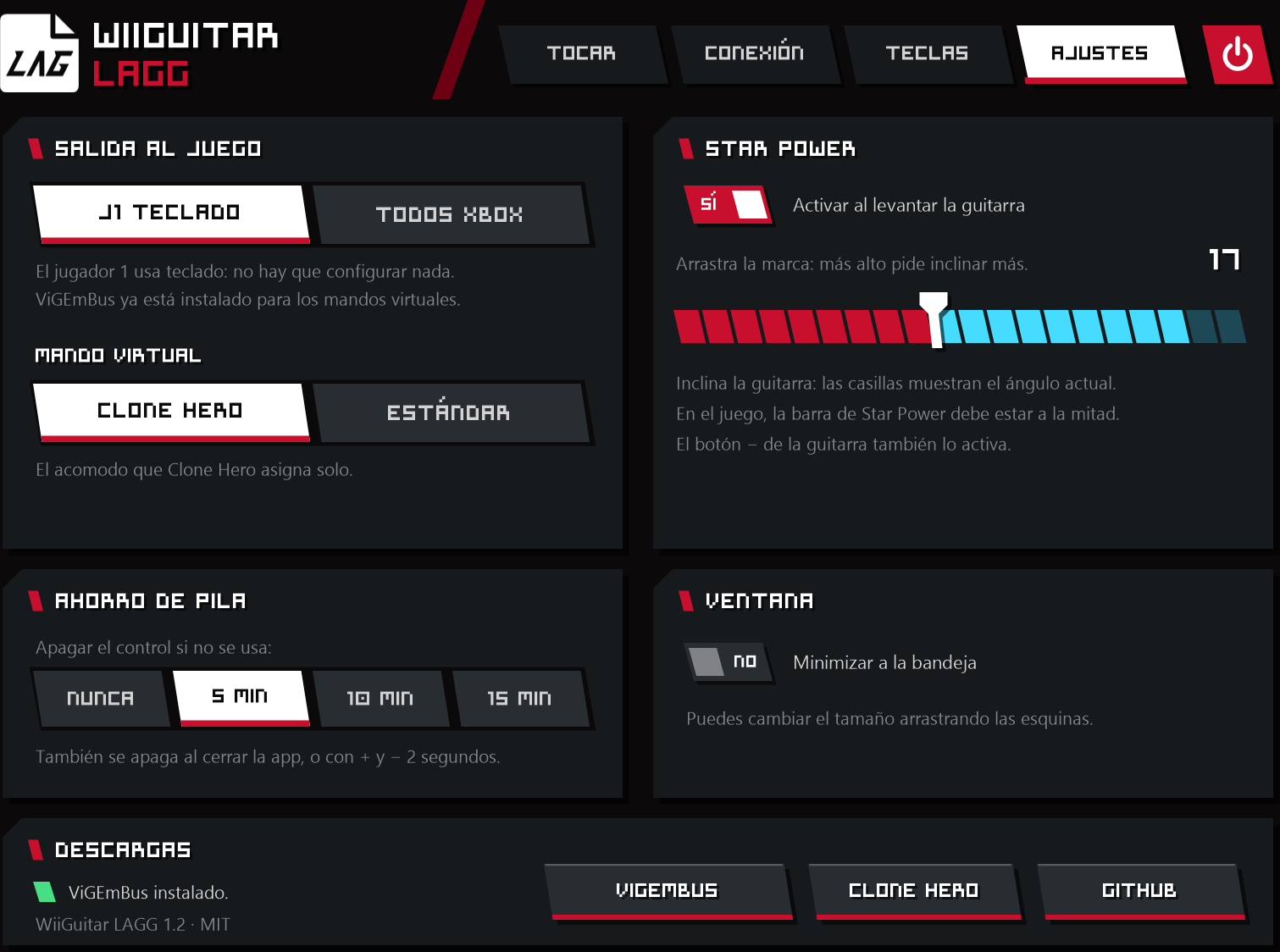
Calibration, whammy sensitivity, rumble: everything that changes depending on how old your guitar is or how hard you strum gets adjusted here, no config file editing required.
The key map
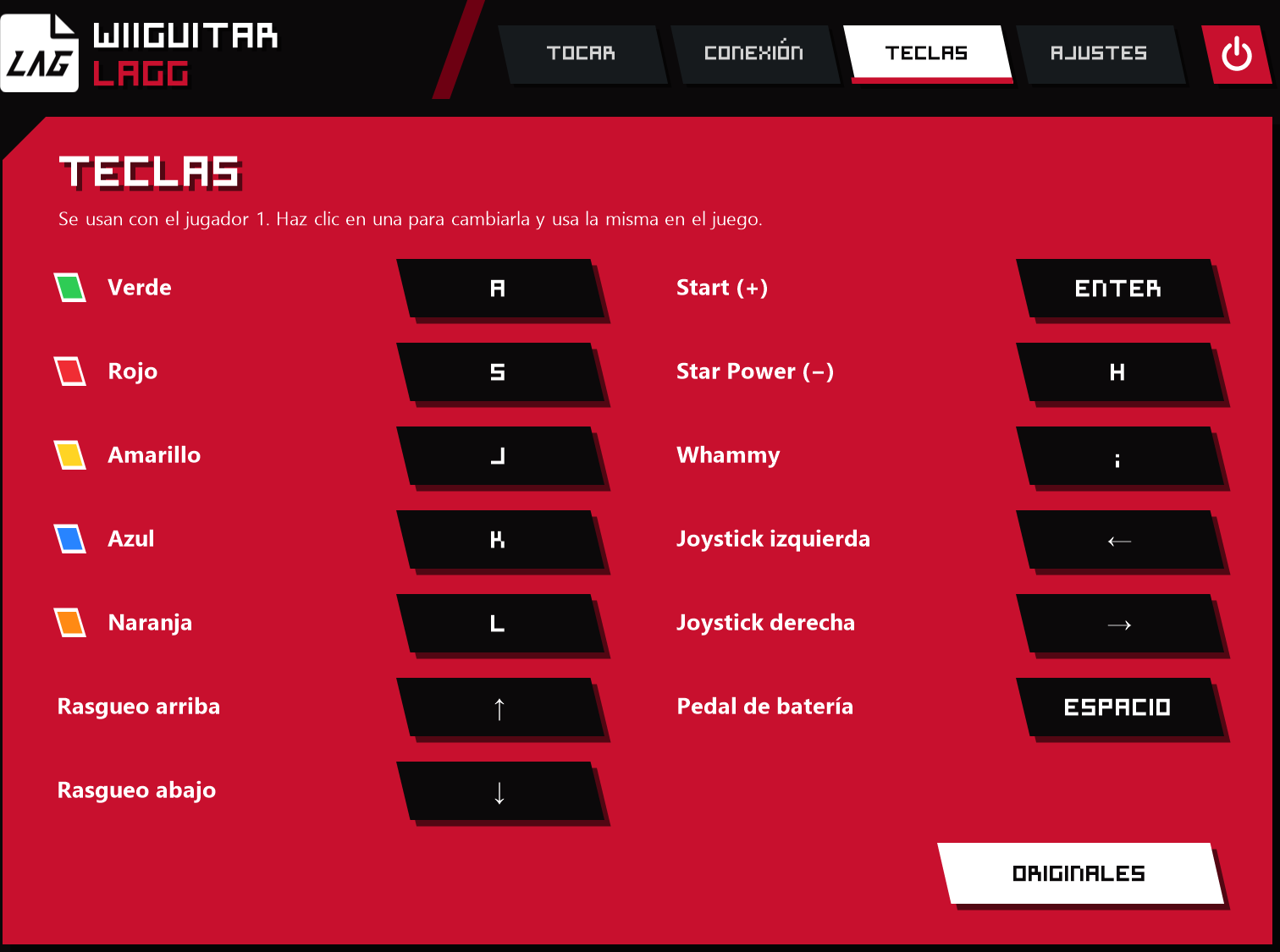
In case you'd rather remap them: here's which PC key each guitar button maps to, for anyone who wants to use it with a game other than Clone Hero.
What it does
- Up to 4 players at once: guitar or drums.
- Calibration and rumble from the same screen.
- Windows: plug in and play.